
Family GPS Locator・Kids Safety
Parental control & GPS trackerParenting
4.557.00 Reviews
- Version
- 1.505
- Installs
- 1.00M
- Age Rating
- Everyone
Screenshots
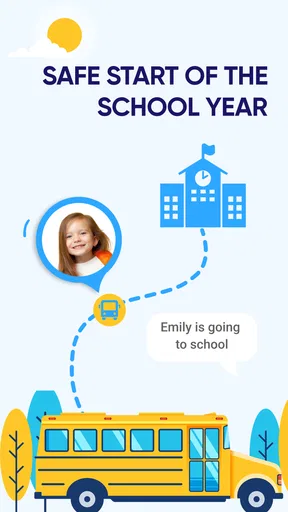
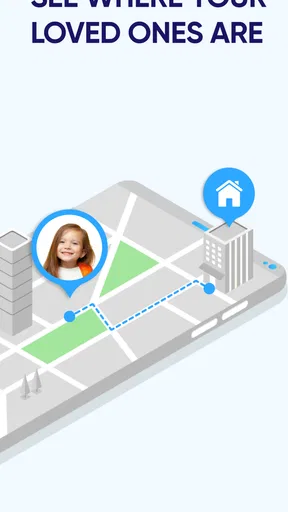
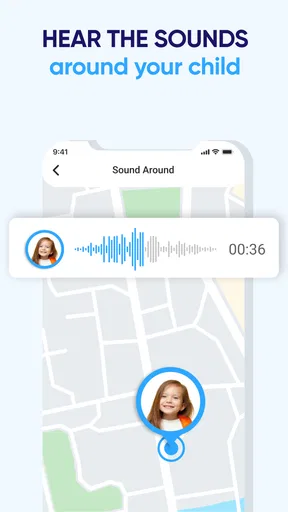
Our Review of Family GPS Locator・Kids Safety
 Analysis by Appyee
What I find most useful about a family location app is not the map by itself, but the small decisions it can simplify: whether to wait at the school gate, call someone who is running late, or check that a child has reached a familiar destination. Family GPS Locator・Kids Safety is built around that everyday reassurance. I would treat it as a way to coordinate with family, not as a substitute for talking through safety plans or teaching children what to do when plans change.
Location is most helpful when it answers a practical question
A location marker is only useful if it helps you decide what to do next. For example, if I am collecting a child after an activity, seeing that they are still at the venue can save an unnecessary string of calls. If they are already on the way, I can adjust my timing. That is a more realistic benefit than expecting a tracking app to prevent every problem: it reduces uncertainty during ordinary handoffs.
That distinction matters because GPS can be imprecise or delayed in busy buildings, underground spaces, or places with weak mobile service. A dot on a map is an indication, not proof that someone is standing at an exact spot. I would use it to guide a sensible check-in, then call or message if the location looks unexpected rather than assuming the map tells the whole story.
A calmer routine for school and activities
Picture a weekday when one parent is at work, another is handling dinner, and a child has gone from school to an after-school activity. A family location check can answer the immediate question of whether they have arrived, while a zone notification can reduce the need to keep reopening the map. If the alert does not arrive, that is a prompt to check the phone or contact the child—not a reason to assume something is wrong.
For this kind of routine, I would agree on a few clear expectations before relying on the app: which locations matter, who receives alerts, and what the child should do if their phone is off or plans change. A short conversation prevents the technology from becoming a source of confusion. It also makes clear that location sharing is for coordination and safety, not a way to monitor every movement without explanation.
Privacy and trust belong in the setup
Location sharing works best when family members understand what is being shared and why. With younger children, a parent may manage the arrangement, but older children and teens are more likely to cooperate when the rules are discussed openly. I would explain who can see the location, when the family expects to use it, and how to raise concerns. That conversation is just as important as learning the controls.
There is also a practical trade-off: everyone needs a compatible phone, a working connection, and enough battery for location updates to be useful. A low-battery notice can be a helpful nudge, but it cannot charge a device or guarantee that it remains reachable. For a child who often forgets to charge a phone, I would build charging into the evening routine rather than treating an alert as a fix.
How it fits beside other family options
Compared with simply calling or texting, a shared location view can save time when the question is “Have they arrived?” rather than “Can you explain where you are?” Compared with relying on a phone’s built-in location-sharing tools, a dedicated family app may feel more focused on household coordination, but it also means asking relatives to install and learn another app. If your family already uses a location-sharing feature that everyone understands, switching may add little value.
I would also avoid treating a family locator as an emergency service. A location feature can help relatives respond with better context, but it does not replace calling local emergency services when immediate help is needed. The SOS option described in the app can be a useful way to alert family, yet children should still know how to reach a trusted adult and emergency help directly.
Keeping Track Made Simple
As a parent, staying connected with your kids is a top priority. The app’s main strength lies in its intuitive GPS tracking feature. It’s like having a personal map that shows where everyone is, in real-time. You know how sometimes you’re in a massive mall or a crowded festival and you lose track of each other? This app totally has your back.
The interface is super user-friendly. You don’t need to be tech-savvy to navigate through it. Once you install the app and set it up, you can easily add family members to your circle. It’s as simple as sending an invite. Trust me, if I can do it, anyone can!
Real-Time Alerts for Peace of Mind
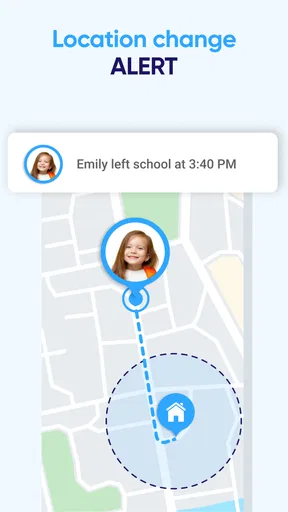
One of my favorite features is the real-time alerts. You can set up safe zones like home, school, or grandma’s house. Whenever someone enters or leaves a zone, you get a notification. It’s like having a little guardian angel keeping you informed. The app even lets you know if someone’s phone is running low on battery, which is a neat touch. No more excuses for going off the grid!
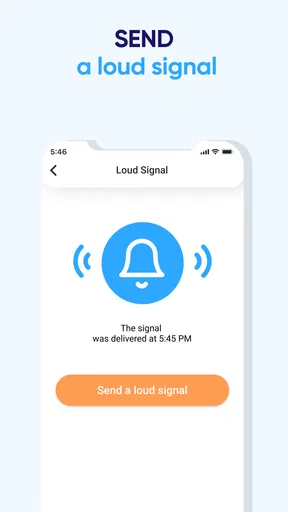
Another cool aspect is the SOS button. If your kiddo finds themselves in a sticky situation, they can hit the SOS button, and you’re immediately alerted with their location. It’s a reassuring feature that adds an extra layer of security.
Communication is Key
Aside from tracking, communication is seamless. The app includes a built-in messaging system, so you can chat with your family members without having to switch to another app. It’s a great way to keep everyone in the loop without the hassle.
Plus, the app supports voice messages, which is perfect for those times when typing isn’t convenient. You can quickly send a voice message to your family, whether it’s to coordinate dinner plans or just to say hello.
A Few Things to Consider
Now, while the Family GPS Locator・Kids Safety app is pretty fantastic, there are a couple of things you might want to keep in mind. First, it does require a stable internet connection for real-time tracking. So, if you’re in an area with spotty service, it might not be as reliable.
Also, the app does have a subscription model for some premium features. It’s something to consider if you’re looking to access all the bells and whistles it offers. However, even the free version provides plenty of functionality to keep your family connected and safe.
Why It’s Worth Downloading
In today’s busy world, having a reliable way to keep track of your loved ones is invaluable. The Family GPS Locator・Kids Safety app offers peace of mind with its comprehensive features. From real-time tracking to instant alerts, it’s a tool that can make a real difference in your family’s life.
If you’re like me and want to make sure your family is safe and sound, give this app a try. It’s like having a digital safety net, ensuring that everyone is just a click away. With a few simple steps, you can transform how your family stays connected and secure.
Ready to give it a go? Head over to your app store and download it today. Trust me, you’ll wonder how you ever managed without it!
Who is most likely to get value from it?
I can see this being most useful for households coordinating school runs, shared custody handoffs, or regular trips to clubs and lessons. When several adults take turns collecting a child, a common location view can reduce “Where are you?” messages and help the next person plan. It may also suit a family caring for an older relative who has agreed to share their location, though the app’s family-safety focus is especially relevant when parents are coordinating with children.
It is less compelling for a household that already has a location-sharing routine everyone likes, or for families whose members do not carry phones consistently. It is also not the right fit for someone seeking covert surveillance: location sharing should be understood by the people involved, and a family tool works better when its purpose and limits are openly agreed.
Making alerts useful instead of noisy
I would start with only the places that answer a real question—perhaps home and school—rather than creating a long list of zones. Too many arrival and departure notifications can become background noise, making it easier to overlook the one alert that matters. After using the routine for a while, you can decide whether another familiar destination would genuinely save calls or map checks.
It also helps to agree on a simple response to an alert. An arrival notice can mean “no action needed,” while an unexpected departure can mean “send a quick message and ask.” That keeps a notification from automatically turning into a worry. If a location seems wrong, check in directly; buildings, signal conditions, and a phone left behind can all make a map view misleading.
Setup, cost, and expectations
The app is a free parenting app from Parental control & GPS tracker, with optional in-app purchases ranging from $0.99 to $99.99 per item. I would begin with the free experience and decide whether any paid option solves a need your family actually has, rather than paying simply because more controls sound reassuring. The app is rated for Everyone, has an average rating of 4.6 from around 6,700 ratings, and has been installed over 500,000 times.
It was released on December 11, 2024, and version 1.484 supports Android 7.0 and later. Those details make it easier to check basic compatibility before asking the whole family to join. If a relative uses an older device or is uncomfortable installing another app, a regular call or text may be the more dependable arrangement for that person.
One useful habit is to test the family routine when nobody is in a hurry: confirm that members can see the expected location, try sending a normal message, and make sure everyone knows what an alert means. I would not wait until a crowded event or a missed pickup to discover that someone has muted notifications or does not understand how the circle works. A calm first run is a small investment that makes the app easier to trust appropriately.
My practical recommendation
For a family that wants a shared way to check arrivals and coordinate everyday movement, this is a sensible option to consider. Its appeal is the combination of location awareness with family communication, rather than a map alone. The main trade-offs are familiar but important: it depends on phones, connectivity, battery, and everyone’s willingness to use location sharing.
I would choose it when those conditions match your household and when a quick location check would genuinely reduce routine uncertainty. I would skip it if your family prefers not to share location, already has an arrangement that works, or expects tracking to guarantee safety. Used with clear expectations and direct communication, it can be a practical layer of reassurance—not a replacement for judgement, trust, or a proper emergency plan.
Privacy and Permissions
See what permissions an app requests and how it handles your data.
- Location
- approximate location (network-based), precise location (GPS and network-based)
- Phone
- read phone status and identity
- Photos/Media/Files
- read the contents of your USB storage, modify or delete the contents of your USB storage
- Storage
- read the contents of your USB storage, modify or delete the contents of your USB storage
- Camera
- take pictures and videos
- Microphone
- record audio
- Wi-Fi connection information
- view Wi-Fi connections
- Device ID & call information
- read phone status and identity
- Other
- view network connections, pair with Bluetooth devices, full network access, change your audio settings, run at startup, draw over other apps, control vibration, prevent device from sleeping, install shortcuts
Verdict
Strengths of Family GPS Locator・Kids Safety
- Real-time location tracking for peace of mind.
- User-friendly interface for easy navigation.
- Geo-fencing alerts for safe zones.
- Battery-friendly operation to conserve power.
- Cross-platform compatibility enhances usability.
Limitations of Family GPS Locator・Kids Safety
- Requires constant internet connection to function.
- Premium features can be costly.
- Location accuracy may vary in remote areas.
- Limited functionality in offline mode.
- May raise privacy concerns among older kids.
Similar Picks in This Category
View All
Family Space
Motorola Mobility LLC.3.9

شرطة الأطفال - مكالمة وهمية
Oub Apps4.1

Findmykids: Parental Control
LETEM LTD4.6

Pregnancy + | Tracker App
Philips Electronics UK Limited4.8

Policía de niños - para padres
Kids police4.7

Pregnancy App
Amila4.9
Frequently Asked Questions
What is Family GPS Locator・Kids Safety and how does it work?
Family GPS Locator・Kids Safety is an application designed to help parents keep track of their children's whereabouts in real-time. By installing the app on both the parent's and child's devices, the app uses GPS technology to provide accurate location updates. This ensures parents can monitor their children's safety and receive alerts in case of emergencies.
Is the Family GPS Locator・Kids Safety app secure and private?
Yes, the app prioritizes user privacy and security. All location data is encrypted and only shared with authorized family members. Parents can set permissions and controls, ensuring that location information is never shared with unauthorized parties. The app complies with standard data protection regulations to safeguard user information.
What features does the Family GPS Locator・Kids Safety app offer?
The app includes features such as real-time location tracking, geofencing, and emergency alerts. Parents can set up safe zones and receive notifications if their child enters or leaves these areas. Additionally, the app can send instant alerts if a child needs help, ensuring timely intervention in emergencies.
Are there any costs associated with the Family GPS Locator・Kids Safety app?
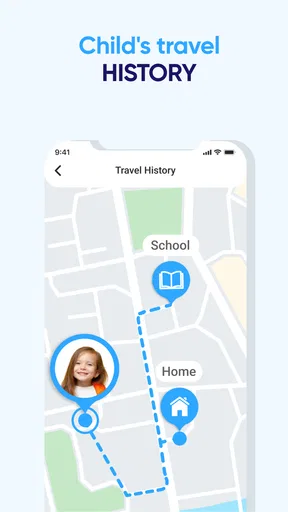
The app offers both free and premium versions. The free version provides basic tracking features, while the premium version includes advanced options like detailed location history and more customizable alerts. Subscription costs vary, and users can choose a plan that best fits their needs and budget.
Can the Family GPS Locator・Kids Safety app drain my phone’s battery?
While GPS tracking apps can impact battery life, Family GPS Locator・Kids Safety is optimized to minimize battery usage. It uses efficient algorithms to provide accurate tracking without significantly draining your device's power. Regular updates and settings adjustments can further help in conserving battery life.
